
Self-hosted · Quantum-safe · WireGuard®
Your company network, on servers you run
Bifrost connects your people, servers and offices into one private network, protected with post-quantum encryption from the first packet and managed from a single console.
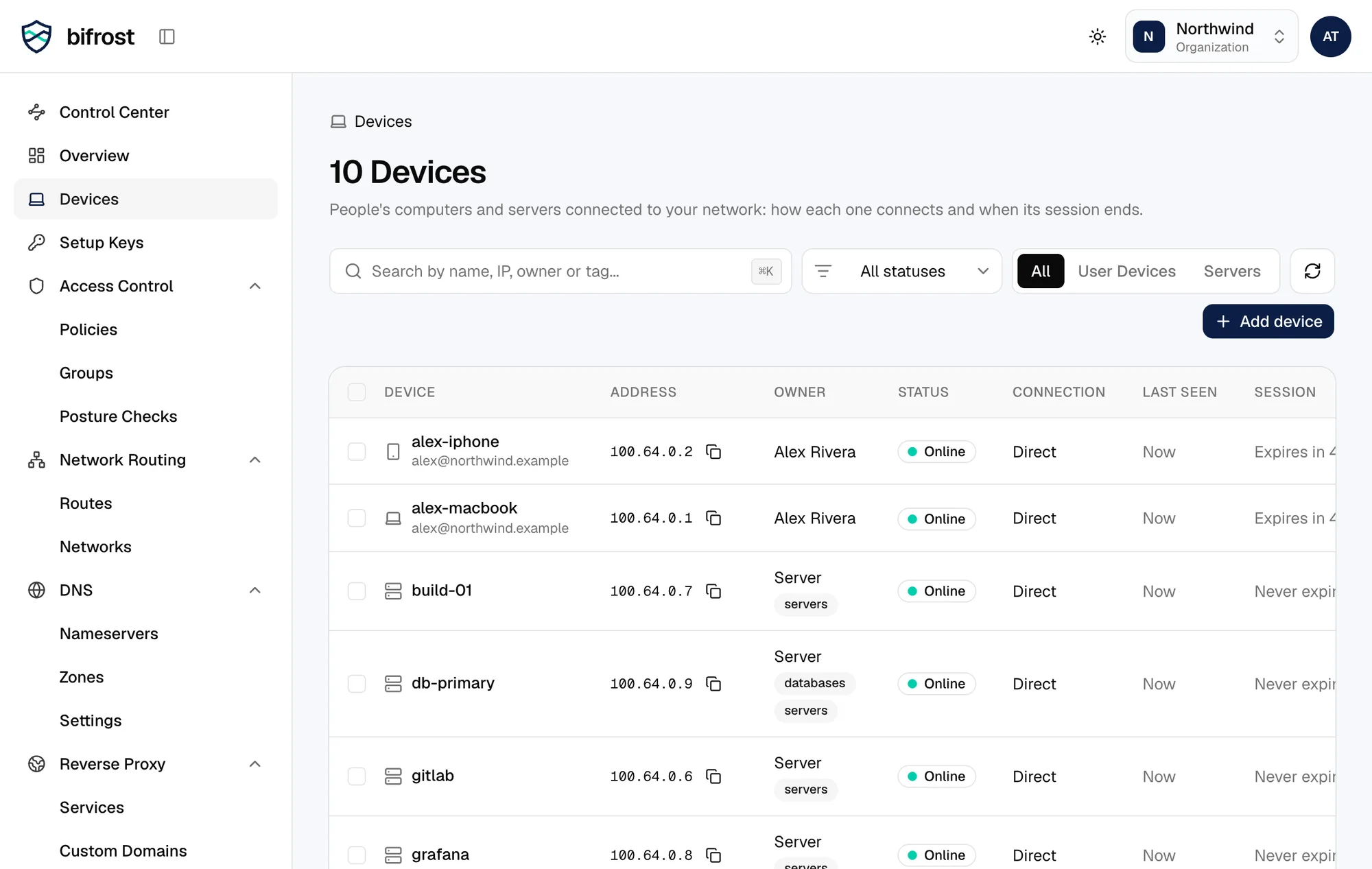
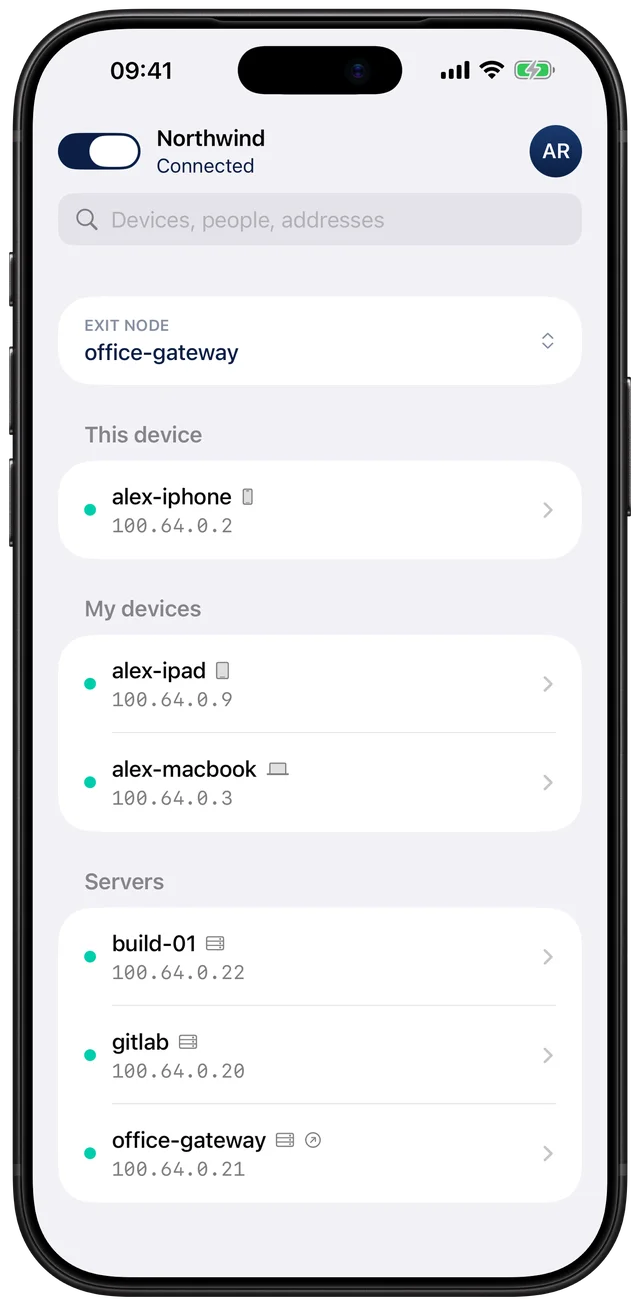
Quantum-safe by default
ML-KEM-1024 on top of WireGuard, for every connection, from the first packet.
Runs on your servers
Your control server, your database, your country. Nothing passes through us.
One console for everything
Policies, device checks, DNS, routes and published apps in one place.
How it works
Coordination on your server. Traffic straight between devices.
The control server hands out keys and policies. Devices then talk to each other directly over WireGuard, so your traffic never takes a detour through someone else's cloud. When a direct path isn't possible, your own server relays it.
Access control
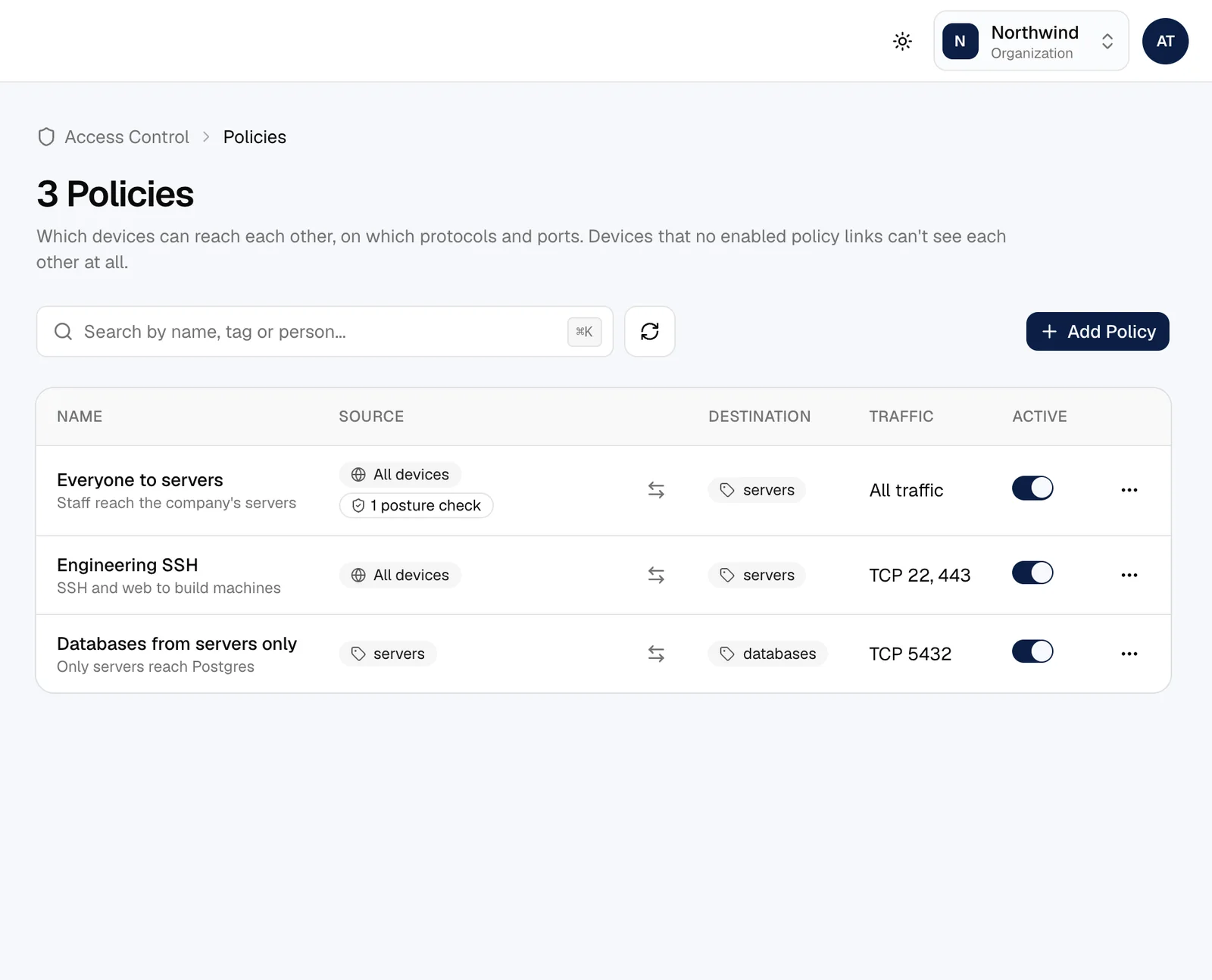
Say who reaches what, and nothing else
Write policies by group, tag or person, down to the protocol and port. A device that no policy names can't even see the others.
- Groups from your identity provider or SCIM, plus tags for servers
- Approve new devices and people before they connect
- Sessions that end, minimum app versions, and forced sign-ins
Device trust
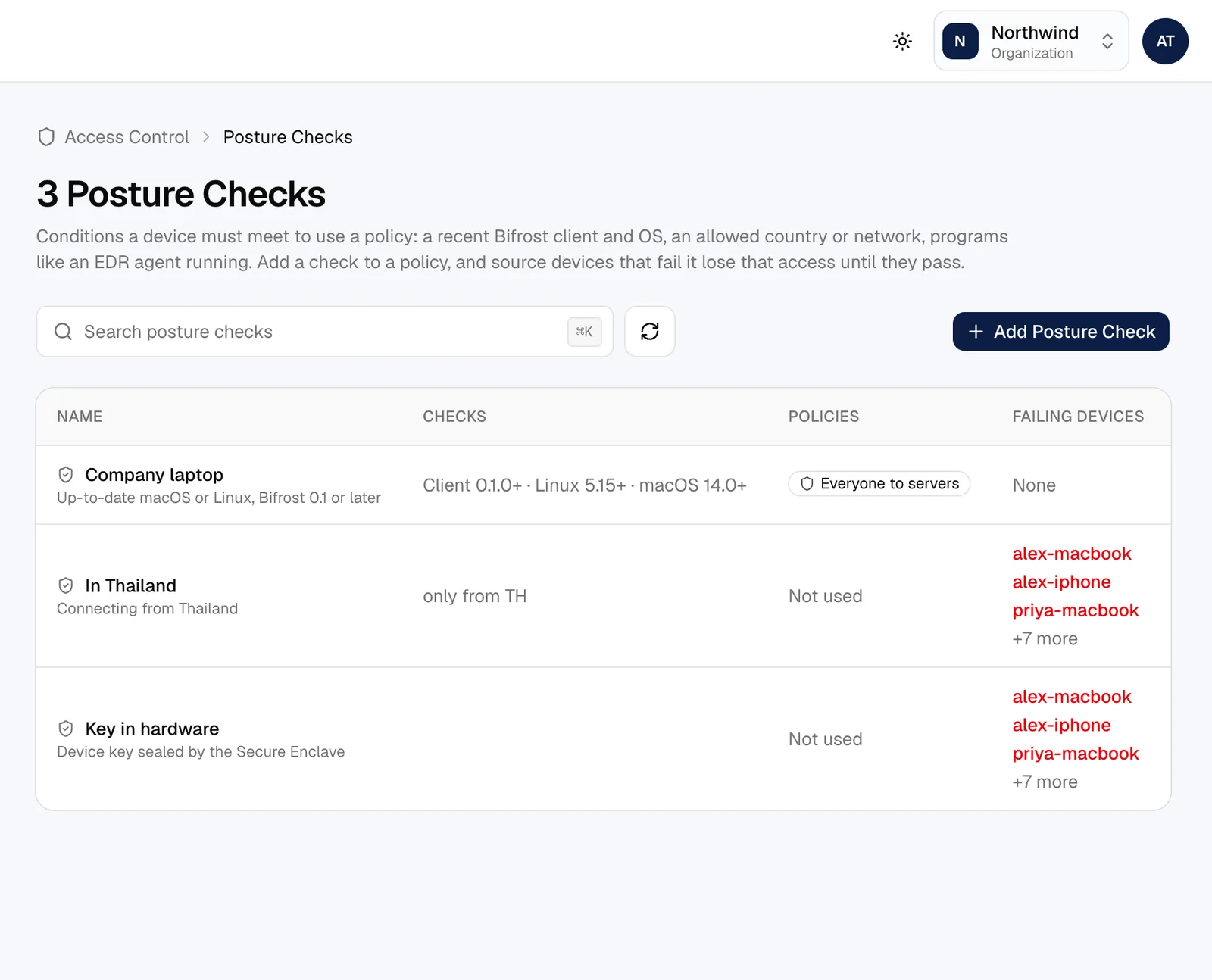
Only healthy devices get in
Posture checks look at the device before a policy lets it through: its OS version, where it connects from, what's running on it, whether its key is in hardware.
- CrowdStrike, SentinelOne, Microsoft Intune, FleetDM and Huntress
- Company certificates, required processes, allowed countries
- A failing device is cut off at once, and shows why
Networking
Reach the office, the cloud and each other
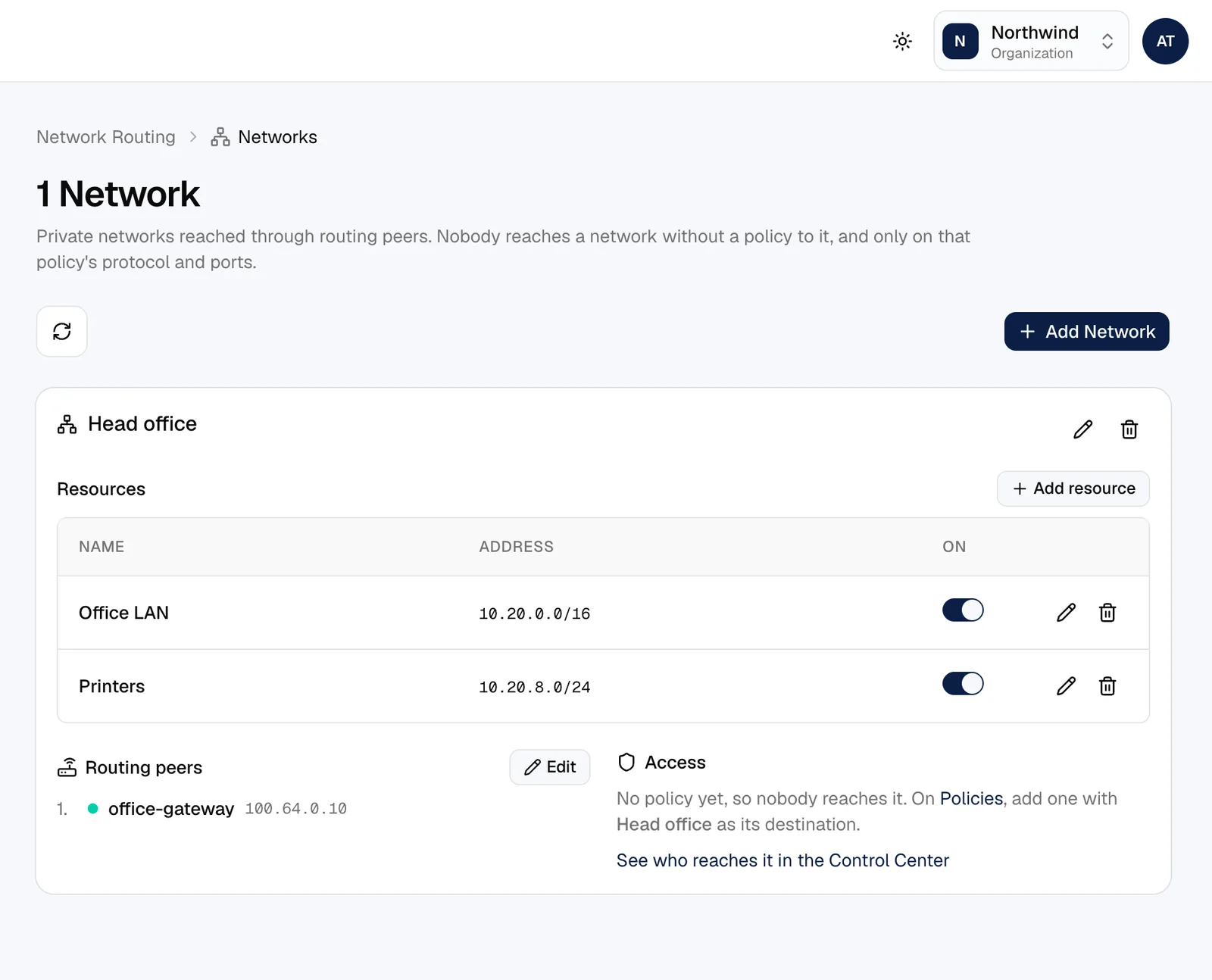
Devices connect directly whenever they can. For everything else, route whole networks through a gateway, give names to your machines, and send internet traffic through the office when you need to.
- Networks and routes through gateways, with failover
- Private DNS: device names, your own zones and nameservers
- Exit nodes and IPv6
Visibility
See every connection, keep every record
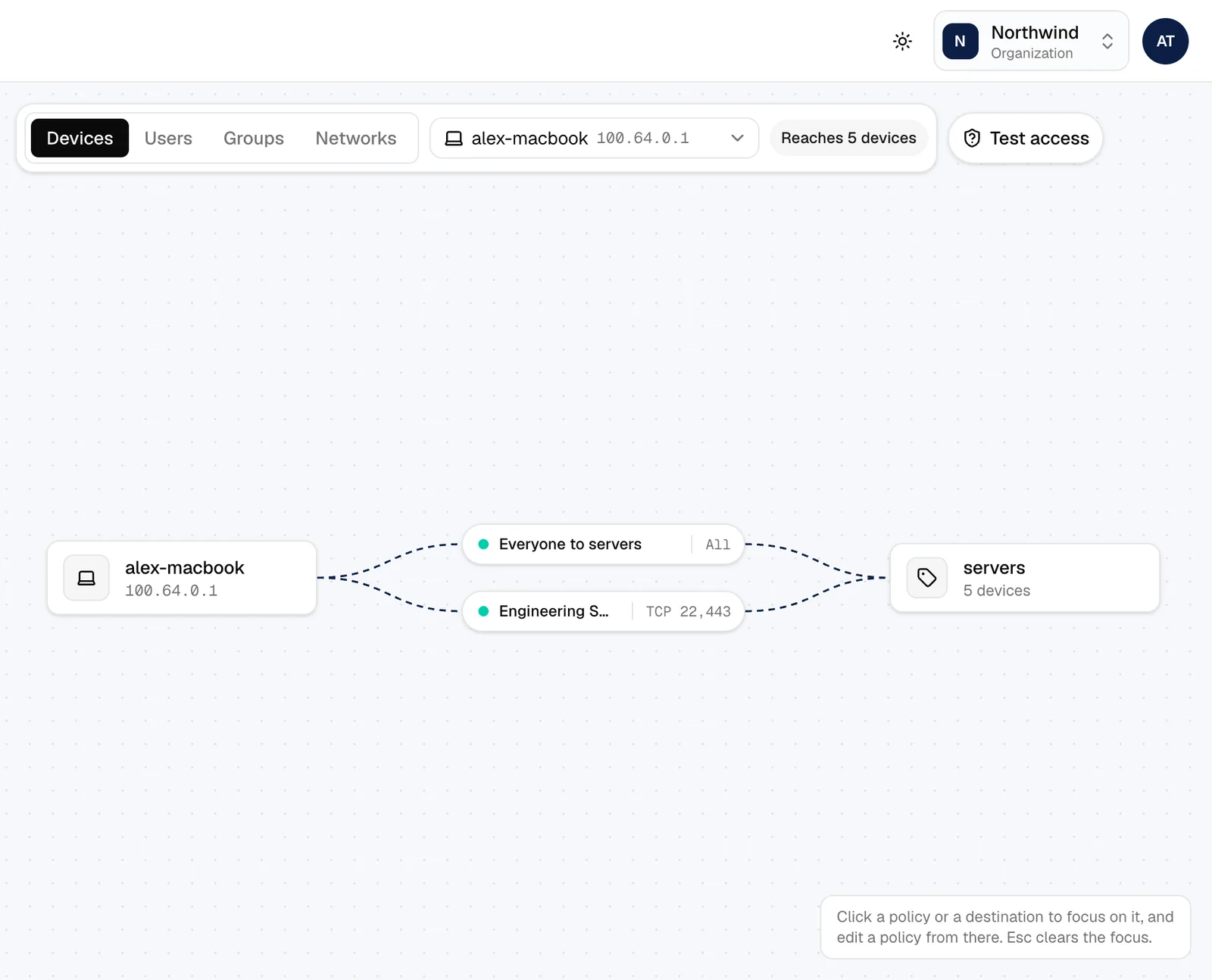
The Control Center draws who can reach whom, and why. Every change and sign-in lands in the audit log, and can go straight to your SIEM.
- Audit log and connection records, kept as long as you choose
- Alerts in Slack, email or a webhook
- Streaming to Datadog, Amazon S3, Firehose, syslog or any HTTP endpoint
Security
Built for today's threats, and tomorrow's computers
Traffic recorded today could be decrypted by a quantum computer later. Bifrost adds a post-quantum key exchange to every tunnel by default, and lets you go further where it matters.
For your team
Simple apps that stay out of the way
One switch to connect. Everything people need from work, wherever they are, with a few things they'll wonder how they lived without.
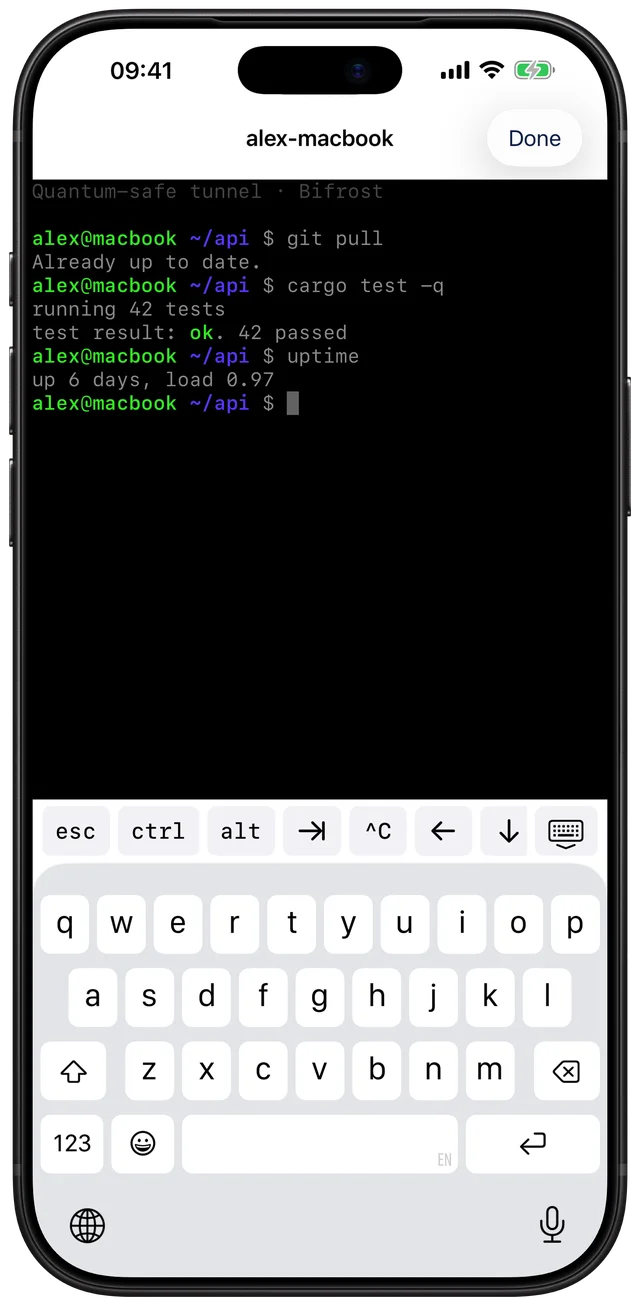
- A terminal on their own computer from their phone, behind Face ID
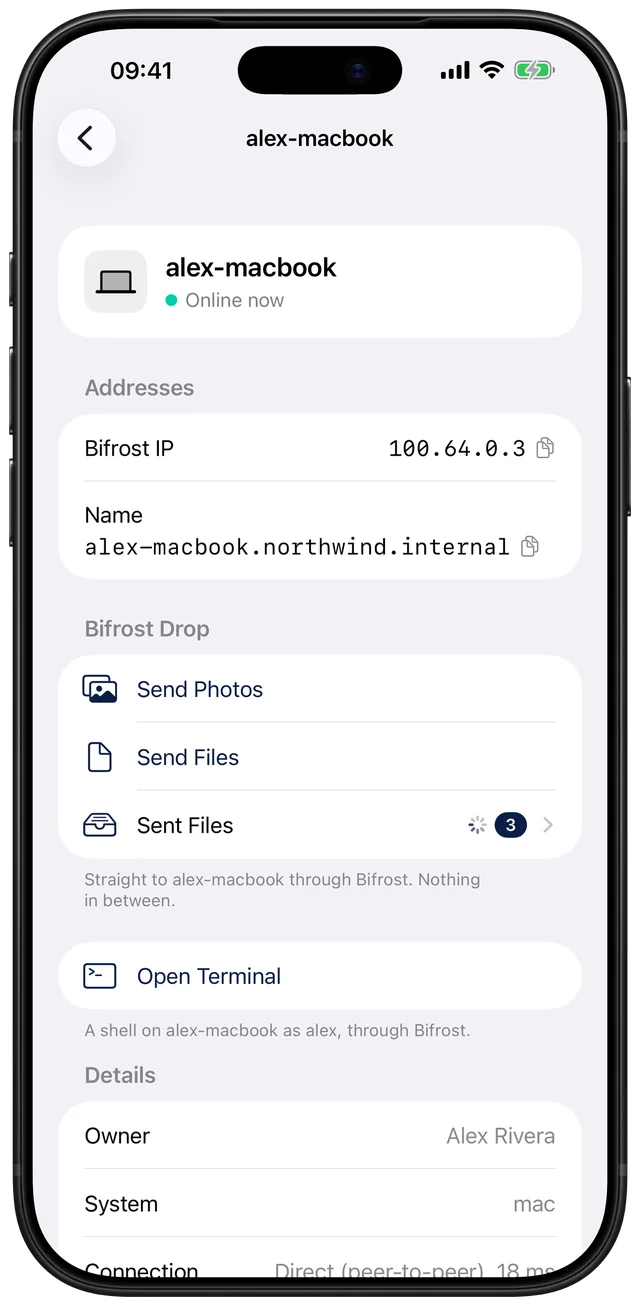
- Photos and documents sent straight to a Mac, with no cloud in between
- Phones hidden from coworkers by default
- Apps for iPhone and Mac, and a service for Linux
Self-hosted
Your data stays with you
Bifrost runs on a small Linux server in your own cloud account or data centre. Accounts, devices, policies and logs live in your database, in the country you choose. That makes PDPA and data-residency questions easy to answer.
1 vCPU, 1 GB RAM
is enough for hundreds of devices
Docker Compose
control and HTTPS in two containers
Your identity provider
Google, Microsoft or any OIDC, with SCIM
Backups you own
daily, to your own storage
Questions
- Is Bifrost a consumer VPN?
- No. Bifrost connects a company's own people, devices and servers. It doesn't sell internet access or hide where you are.
- Do we need to change our firewall?
- Usually not. Devices find direct paths through NAT on their own, and fall back to your server when they can't.
- What does quantum-safe mean here?
- Each tunnel mixes a post-quantum key (ML-KEM-1024) into WireGuard's keys, so traffic recorded today stays private even if quantum computers break today's key exchange.
- Can we use our own sign-in?
- Yes: Google Workspace, Microsoft Entra ID or any OIDC provider, with SCIM to keep people and groups in sync, and two-factor for local accounts.
- Is there a hosted version?
- We're starting with self-hosting. A managed option is on the way; talk to us if you'd like early access.
Bring your network home
Tell us about your team and we'll help you set up Bifrost on your own servers.